

Viewing and storing images from an IP Camera
If you’ve recently purchased an IP camera and want to programmatically retrieve and store images using Java, this post is for you. Recently I bought a couple of IP Cameras for testing purposes. I noticed that each IP camera has different surveillance tools and web interfaces. But most of these IP cameras have in common that they provide a static image URL that you can access directly via your browser. Leveraging this feature, you can build a simple Java application to grab and store those images.
In this post, I'll show you how to see that image and store it using a very simple Java application. For this demonstration, I’ll be using a LinkSys WVC200 "Wireless PTZ Internet Camera with Audio". This camera was the most affordable option I found with decent features at the time of purchase.
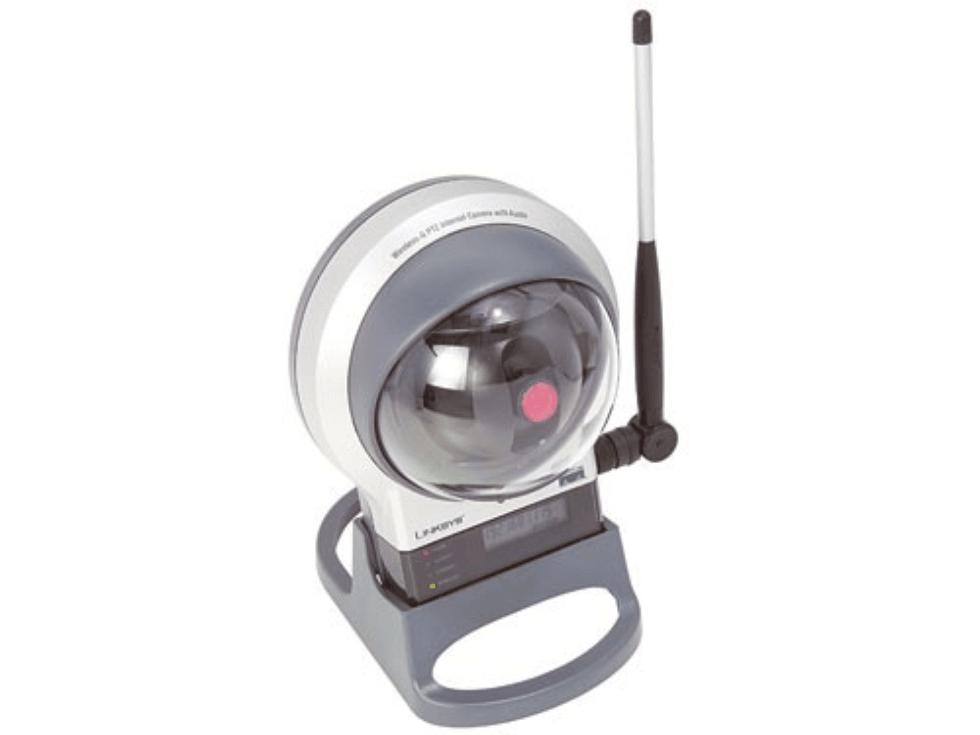
This camera includes a functional web interface. However, for visualization, you’re tied to a Windows desktop since it relies on an ActiveX control to display and control the image. Thankfully, LinkSys provides the camera’s firmware source code, which gives helpful insights, including the URL to access the static image.
If you analyze the source code you can find some hints to get the URL where the static image is served (there's an URL for ASF video format too, with some time you can develop an app to store and play the video).
For this camera, the URL is http://CAMERAIP/img/snapshot.cgi?size=640x480.
With this information, we can create a simple Java application to grab and store the image. If you have a different type of camera, you can adapt the program by specifying the URL for that camera.
public class IPCameraImageFetcher {
  public static void main(String[] args) {
    try {
      // Build a new URL specifying the path to where the image is served
      URL url = new URL ( "http://192.168.10.80/img/snapshot.cgi?size=640x480");
      // String with the user and password to access the camera interface
      // (userName and password that you would enter in the browser
      String userPassword = "USER:PASSWORD";
      // We must encode with Base64 to supply it with the header.
      String encoding = new Base64Encoder(userPassword).processString();
      // Open the connection
      URLConnection uc = url.openConnection();
      // Specify the authorization
      uc.setRequestProperty ("Authorization", "Basic " + encoding);
      // Load a copy of the image into memory
      BufferedImage img = ImageIO.read(uc.getInputStream());
      // Store the image in the specified path
      ImageIO.write(img, "jpg", new File("pathToFile"));
    } catch (MalformedURLException ex) {
      ex.printStackTrace();
    } catch (IOException ex) {
      ex.printStackTrace();
    }
  }
}
With just a few lines of code, you can extend this application's functionality to create a robust surveillance application or tool. Many commercial surveillance systems share the same basic functionality as the 10 lines of code above, despite their higher price tags. With some effort, you could even add features like periodic image capture, video archiving, or advanced controls.


Comments in "Viewing and storing images from an IP Camera"
the above code?
Can you get 15fps?
Thanks.
The problem with the above code is that each time you get a photo you must open a new connection/request which takes some time, depending on the network (but even with good Intranets, it's slow). It would be the same as pressing the refresh [F5] button in your browser. This is why most cameras offer another type of stream, normally an mjpg (aka many jpg images joint together in one file). If you need such a quick refresh rate (15 fps) you can study capturing the mjpg stream and then separating each jpg from the stream. It's more complicated but possible.
To do this you should analayze the input stream and search for the BOMof a jpg then save that part of the stream to a separate jpg file.
You can also try to find a library that can process mjpg or any other type of stream.
Regards
Many thanks for the code!
I have only two issues(still):
String encoding = new Base64Encoder(userPassword).processString();cannot find Base64Encoder import?
and JLabel ? jLImagen imports:
can you please advize?
I get the error:
java.io.IOException: Server returned HTTP response code: 401 for URL:...
any ideas why:
BufferedImage img = ImageIO.read(uc.getInputStream());fails?
thank you